


What an AI Workflow Automation Agency Actually Does for Modern Businesses
Most businesses do not have a technology problem. They have a repetition problem.
Someone checks a form submission, copies the details into a CRM, sends a WhatsApp message, prepares an email, updates a spreadsheet, reminds the sales team, checks whether the customer replied and then updates the status again. None of these tasks looks difficult on its own. The trouble starts when there are 50, 100 or 500 such actions happening every month.
This is where an AI workflow automation agency becomes useful.
An AI workflow automation agency looks at how work actually moves inside a business and identifies tasks that can be handled automatically. That can involve AI tools, CRM systems, email platforms, WhatsApp, forms, spreadsheets, accounting software, customer support systems and other business applications.
But there is an important distinction here. Automation is not simply connecting two software tools and calling it done.
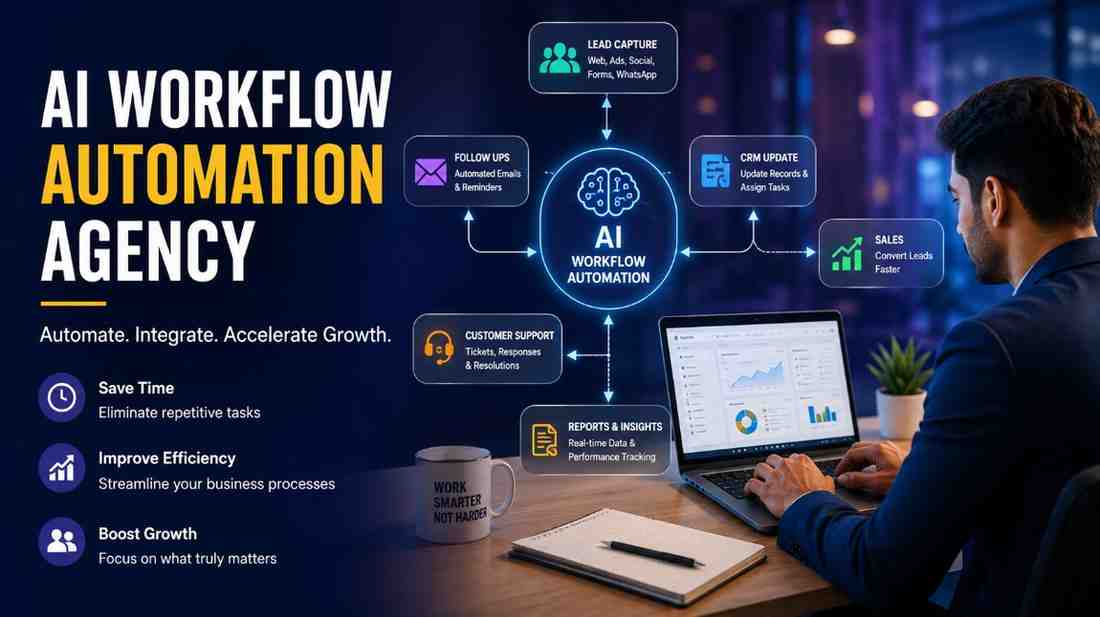
A good AI workflow automation agency first understands what happens before and after each business action. For example, when a lead fills out a form, the workflow might capture the information, check whether the lead is relevant, add it to the CRM, assign it to the right salesperson, send an initial response and create a follow up task. AI can also classify the enquiry based on the message or identify whether the customer appears ready to buy.
The human employee then deals with the part that actually needs judgement.
That is usually where the real value sits.
I have seen businesses spend a surprising amount of time automating the wrong thing. A company may automate email notifications while its sales team is still manually copying customer information between three systems. It looks modern from the outside, but internally nothing much has changed.
An AI workflow automation agency should therefore work around business processes rather than around a particular AI tool.
For an Indian business, this can become even more practical. A lead may arrive through a website, Google Business Profile, Instagram, WhatsApp or a referral. Some customers may prefer phone calls, while others expect a WhatsApp response within minutes. If every enquiry is handled differently, leads can easily fall through the gaps.
AI workflow automation can bring some consistency to that process without forcing the entire business to operate like a software company.
There is also a common misunderstanding about AI automation. It does not mean replacing every employee with a machine. In most useful implementations, AI handles repetitive interpretation and routine actions while people remain responsible for decisions, relationships and exceptions.
That distinction matters.
Why Businesses Are Moving From Manual Processes to AI Workflow Automation
Manual work survives for a simple reason. It works.
A small business can manage enquiries through WhatsApp, keep customer details in Excel and remember follow ups from personal notes. When there are only a few customers, this may actually be faster than setting up an elaborate system.
The problem appears as the business grows.
A sales executive forgets to follow up. A customer gets two different messages from different employees. A marketing lead sits untouched for two days because nobody noticed the notification. An invoice is prepared manually even though the same customer information already exists somewhere else.
These are not dramatic failures. They are small leaks.
Over several months, those leaks become expensive.
An AI workflow automation agency can help businesses identify where manual processes are creating unnecessary work or creating opportunities for mistakes. The goal is not to automate everything. It is to remove repetitive handling where automation makes practical sense.
Consider a real estate business receiving enquiries from multiple channels. Earlier, a salesperson might open WhatsApp, check a website form, look through Facebook enquiries and then maintain a separate spreadsheet. With a properly designed workflow, new enquiries can be captured centrally, categorised and routed to the appropriate salesperson. Follow ups can be triggered according to the lead stage.
The salesperson still speaks to the customer. That part should not disappear.
What changes is the administrative work surrounding the conversation.
The same idea applies to clinics, education companies, manufacturers, financial consultants, ecommerce businesses, travel companies and B2B service providers.
Another reason businesses are looking at automation is response speed.
Customers have become less patient with slow replies. If someone submits an enquiry at 10:30 in the morning and receives an acknowledgement at 4:00 in the afternoon, they may already have contacted another provider. An automated response can confirm that the enquiry was received immediately, while the sales team gets the information required to continue the conversation.
But faster is not always better.
I would not recommend sending an AI generated reply to every customer just because the technology allows it. If the customer has a complicated technical question, a generic automated response can make the company look careless. This is one area where businesses sometimes get carried away with automation.
The better approach is selective automation.
Simple questions, acknowledgements, routing, reminders, data entry and status changes are usually easier to automate. Sensitive decisions, negotiations, unusual complaints and complex customer conversations may still need people.
I might be wrong here in some industries because the right balance depends heavily on the business model. A large ecommerce operation can automate far more customer interactions than a specialised industrial consultant dealing with high value projects.
There is another practical reason behind the move towards AI workflow automation. Employees often dislike repetitive administrative work even when they never openly complain about it.
A sales person did not join a company to copy lead information from one screen to another.
A marketing manager does not want to spend an hour every afternoon checking whether campaigns have generated enquiries.
An operations employee should not have to manually send the same internal notification every time an order reaches a particular stage.
Removing this kind of work does not necessarily reduce headcount. More often, it gives existing employees more time for tasks where their judgement is actually useful.
Still, businesses should be careful with costs. An expensive automation setup that saves 20 minutes a week is not a smart investment. The business case needs to be based on frequency, labour involved, errors, revenue impact and the consequences of delays.
That sounds obvious. In practice, it gets missed quite often.
Where AI Workflow Automation Can Save Time Across Daily Business Operations
The easiest place to see the value of an AI workflow automation agency is in everyday operations because repetitive tasks tend to hide there.
Lead management is one of the obvious areas.
Suppose a company receives website enquiries throughout the day. Someone has to check the form, read the enquiry, enter the details into a CRM, decide who should handle it and send a response. If this happens dozens of times a week, the administrative burden adds up quickly.
A workflow can capture the enquiry automatically and place the information into the right system. AI can help classify the enquiry by service, location, urgency or customer intent. The relevant salesperson can then receive the lead with useful context rather than an empty notification saying, “New enquiry received.”
Follow ups are another area where automation can quietly make a difference.
Many businesses are not losing leads because their offer is poor. They are losing them because nobody followed up at the right time.
A workflow can create reminders based on the stage of a lead. If a prospect has not replied after a defined period, the system can trigger an appropriate follow up. If the customer responds, the workflow can stop the reminder or move the lead into another stage.
This becomes particularly useful when several salespeople are involved.
Customer support also has repetitive parts that are suitable for automation. Common questions about order status, service availability, appointment confirmation, documentation or basic product information can be handled through automated responses or AI assisted support. More complicated cases can be passed to a person with the previous conversation attached.
That last part is important. Nobody wants to explain the same issue three times because the automated system forgot the earlier conversation.
Marketing operations can benefit as well.
A business may collect leads through advertising campaigns, landing pages, social media and organic search. Instead of manually moving these contacts into different lists, workflows can organise them according to source, service interest or customer type. Email sequences can then be triggered based on what the customer actually did rather than simply sending the same message to everyone.
Internal reporting is another less glamorous but useful area.
Imagine a company where managers receive daily sales information from different employees. One person updates Excel. Another sends a WhatsApp message. Someone else emails a report. By the time the information is compiled, the numbers may already be outdated.
An automated workflow can collect information from connected systems and prepare a standard internal report. AI can assist with summarising unusual changes or identifying records that need attention.
This does not mean management should blindly trust an AI generated summary. Numbers still need proper source systems and human checks, especially when financial or operational decisions are involved.
Finance and administration have their own opportunities.
Invoice reminders, document collection, payment notifications, customer onboarding, quotation requests and internal approvals can all involve repetitive steps. If the conditions are clearly defined, parts of these workflows can be automated.
There is a small manufacturing company I have come across where staff spent a ridiculous amount of time chasing missing customer documents before processing orders. Nobody thought of it as an automation problem. It was simply “how things are done.” Once the process was mapped, the repeated reminders and internal notifications were the obvious place to start.
That is often how good automation projects begin.
Not with a fancy AI demonstration.
With someone finally asking why the same task is being done manually for the 300th time.
An AI workflow automation agency can also help businesses connect disconnected systems. A form, CRM, email platform, WhatsApp system and reporting dashboard may each work perfectly well on their own but create unnecessary manual work when they do not communicate properly.
The workflow becomes the bridge.
There will still be exceptions. Some customers will provide incomplete information. Some enquiries will not fit the normal categories. A payment may fail. An employee may need to override the normal process.
A sensible automation system expects this.
Trying to create a workflow where every possible situation is automated usually makes the system harder to maintain. I actually prefer workflows that have clear human intervention points. It feels less impressive in a presentation, but it tends to work better when real customers start doing unexpected things.
And there is always that one customer who writes an entire story in the enquiry box instead of filling the form properly. That person tests the system better than any demo ever will.
The unfinished part of automation is often the most important part.
AI Workflow Automation for Lead Generation, Follow Ups and Sales
Lead generation is one of the areas where an AI workflow automation agency can make a noticeable difference, but only when the workflow is built around what the sales team actually does.
Getting a lead is not the difficult part anymore. Businesses can generate enquiries through Google Search, Meta Ads, landing pages, social media, WhatsApp, referral forms and other channels. The harder part is handling those enquiries properly after they arrive.
A lead comes in. Someone needs to check it. Someone needs to decide whether it is relevant. Someone needs to contact the person. Then there is usually a follow up, another follow up, perhaps a quotation, another call and eventually a conversion or rejection.
This is where small gaps become costly.
An AI workflow automation agency can connect these steps so that the lead does not simply sit inside an inbox waiting for someone to notice it.
For example, imagine a solar installation company receiving enquiries from its website. A new enquiry might contain the customer’s location, electricity usage, property type and approximate requirement. Instead of sending that information manually to a salesperson, an automated workflow can capture the enquiry, place it into the CRM, classify the requirement and notify the appropriate team member.
AI can help interpret the enquiry where the information is messy or written naturally.
It can identify whether someone is asking about residential solar, commercial installation or maintenance. It can also flag an enquiry that appears urgent or commercially valuable. The sales employee then receives the lead with some context.
That is much more useful than a simple notification saying “New lead.”
Follow ups can be handled in a similar way.
Most businesses do have a follow up process. The problem is that the process often exists inside people’s memory. One salesperson maintains notes in a diary. Another uses Google Calendar. Someone else simply remembers to call the customer tomorrow.
It works until that person gets busy.
A workflow can create follow up tasks automatically based on what happened previously. If a quotation was sent and no response has been received, the system can remind the salesperson. If the customer replies, the workflow can change the lead stage and stop irrelevant reminders.
AI can also assist in prioritising leads.
A person asking, “Please send me your brochure” is not necessarily at the same stage as someone asking, “Can you install this month and what will the approximate cost be?”
Both are enquiries. They are not equal.
The system can recognise these differences and help sales teams decide where to spend their time first.
I strongly prefer this approach over blindly sending automated sales messages to every lead. Automation should support the salesperson, not make the customer feel like they are talking to a machine from the first sentence.
There are situations where automated follow ups make sense. There are also situations where a personal call is far better.
For high value B2B services, industrial products, financial consulting and specialised professional services, that distinction matters a lot.
The real benefit is not fewer people. It is fewer forgotten actions.
A good AI workflow automation agency therefore looks beyond lead capture. It examines what happens after the first enquiry, where the lead gets stuck, how long follow ups take and which parts of the sales process are repeatedly handled by employees.
Sometimes the biggest problem is not lead generation at all. It is the 48 hours after the lead arrives.
Connecting CRM, Marketing, Customer Support and Internal Business Systems
Most businesses already use several software systems. The issue is that these systems often behave like separate islands.
The marketing team may use one platform for campaigns. Sales may use a CRM. Customer support may work through WhatsApp or another ticketing system. Finance has its own software. Internal teams may still rely heavily on spreadsheets.
Each system may be perfectly reasonable on its own.
The trouble starts when information has to move between them manually.
An AI workflow automation agency can create connections between these systems so that an action in one place can trigger an appropriate action somewhere else.
A simple example is lead capture.
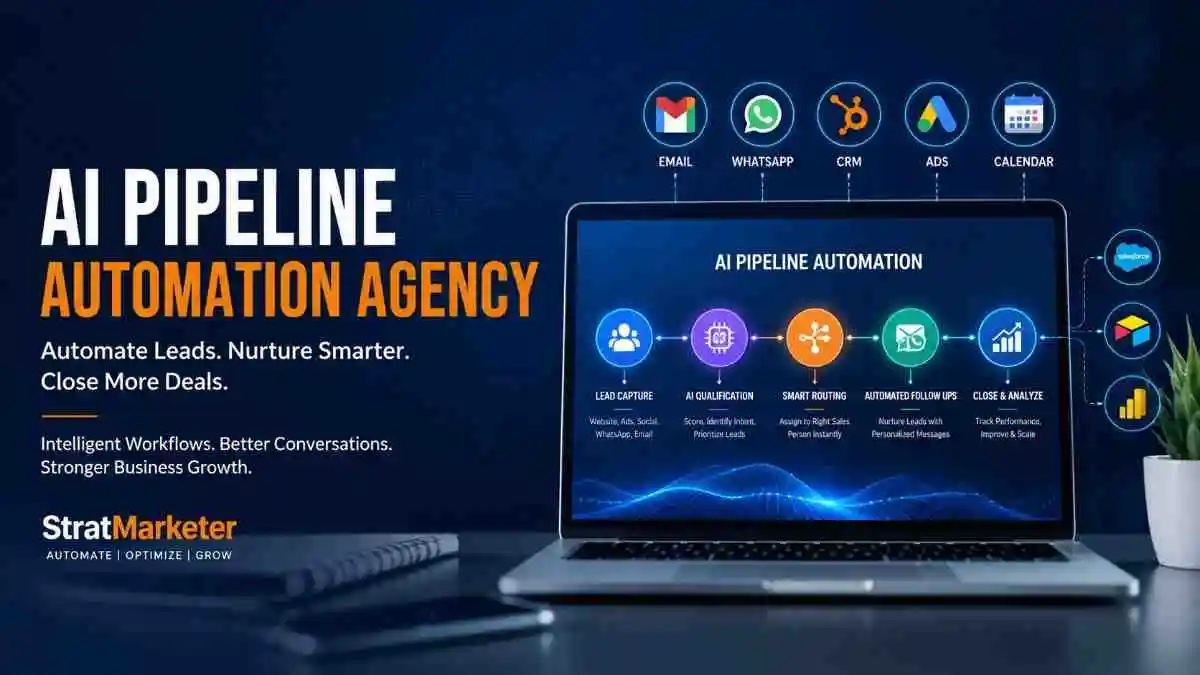
A visitor submits a website form. The workflow sends the information to the CRM. The CRM assigns the lead to a salesperson. The marketing system records the source. An acknowledgement is sent to the customer. The salesperson receives a notification.
Nobody needs to copy the same name and phone number four times.
That sounds like a small saving. Multiply it by hundreds of enquiries and the picture changes.
Customer support can also be connected with sales information. If an existing customer raises a support issue, the support team may need access to basic customer information before responding. If the customer is also an active sales prospect, the relevant team may need to know about the issue.
Without connected systems, employees spend time searching.
With connected workflows, the information can move where it is needed.
This does not mean every system should be connected to everything else. That creates another kind of mess.
The better question is simple. What information actually needs to move, and why?
For example, a marketing team may need to know that a lead became a customer. It probably does not need access to every internal support conversation. A sales employee may need the customer’s service history but not the entire finance database.
Good workflow design includes these boundaries.
Indian businesses also have a practical issue here. WhatsApp is often part of the actual sales and customer service process, even when the official CRM says something else. A customer may submit a website form and then immediately send a WhatsApp message. If the business treats those as two completely separate conversations, employees end up doing manual reconciliation.
This is one reason automation projects need to begin with real business behaviour rather than software diagrams.
The system should reflect how customers actually communicate.
Internal operations can benefit from the same principle. A new order can trigger an internal notification. A completed payment can update a customer record. A pending document can create a reminder. A service request can be assigned to the right department.
The objective is not to create hundreds of automated actions.
It is to remove unnecessary handoffs.
How an AI Workflow Automation Agency Builds Workflows Around Real Business Needs
The first conversation with an automation agency should not begin with, “Which AI tool do you use?”
That is usually the wrong starting point.
A capable AI workflow automation agency needs to understand the business process first. Where does a lead enter? Who handles it? What information is required? What happens when the customer does not respond? Who approves the quotation? What happens after payment? Where do employees currently copy information?
These questions sound basic, but they reveal more than a software demonstration.
Suppose a company says it wants an automated lead management system. That description is too broad to build anything useful.
After looking at the actual process, the agency may discover that the main issue is not lead management. Salespeople are receiving enquiries quickly, but nobody knows which salesperson owns which lead. Follow ups are inconsistent. Some leads are being contacted five times while others are forgotten.
The automation requirement has changed.
Now the workflow needs lead assignment, status management and follow up logic.
This is why an AI workflow automation agency should spend time mapping the process before building it.
The workflow normally needs clear triggers, actions, conditions and human intervention points. The trigger could be a new enquiry, payment, form submission or customer reply. The action could be creating a record, sending a notification, updating a field or generating a task.
Conditions are where things become more interesting.
A workflow might behave differently depending on whether a lead is from Delhi or Pune, whether the enquiry is residential or commercial, whether the customer has responded, or whether the order value crosses a particular threshold.
AI can help where interpretation is required.
For example, if customers describe their requirements in their own words, AI can classify the enquiry before passing it to the appropriate team. But deterministic rules are still preferable when the condition is simple.
If payment status equals paid, update the order.
There is no need to involve AI in that.
I have a concern with agencies that try to put AI into every step because it makes the project sound more advanced. If a simple rule can do the job reliably, use the simple rule.
AI is useful when the system needs to interpret text, classify information, summarise conversations or deal with less structured input.
Testing is another important stage.
A workflow that works perfectly with five sample leads may behave badly when a customer leaves a field blank, sends duplicate information or replies in an unexpected way. Real-world testing should include these awkward cases.
The boring cases matter.
The workflow also needs monitoring. APIs change. Employees change processes. Software accounts expire. A business launches a new service. A CRM field gets renamed.
Automation is not a one-time installation that can be forgotten forever.
It needs occasional attention.
Common AI Automation Mistakes Businesses Make Before Hiring an Agency
The biggest mistake is automating a bad process.
If five employees are manually doing unnecessary steps, putting those same five steps into software does not solve the underlying problem.
It simply makes the inefficient process faster.
Another mistake is choosing tools before defining the requirement. Businesses sometimes subscribe to several AI platforms because they see impressive demonstrations online, then try to find a business use for each one.
That usually ends badly.
Start with the problem.
A second mistake is trying to automate everything at once. A company may have twenty possible automation opportunities. That does not mean all twenty should be implemented in the first month.
I prefer starting with one workflow where the time saving or business impact is easy to see.
Lead routing is a good example.
Once that is stable, the business can move to follow ups, reporting, support or internal processes.
Poor data quality is another major issue.
AI cannot magically fix missing or inconsistent customer information. If one employee enters “Delhi”, another writes “New Delhi” and another uses an abbreviation, a workflow may classify or route records incorrectly.
The database needs some discipline.
Businesses also underestimate human adoption. An automation can be technically perfect and still fail because employees do not use the CRM properly.
This is where some projects become frustrating. Everyone blames the automation when the real issue is that people continue using WhatsApp messages and personal spreadsheets instead of the agreed process.
Training and simple internal rules matter.
There is also a risk of over-automating customer communication.
I would be particularly cautious with this.
Customers can usually tell when a message feels generic. For routine confirmations, automation is fine. For complaints, negotiations and sensitive conversations, a human should usually be involved.
Privacy and access permissions also deserve attention, especially when customer data moves between different platforms. Businesses should understand what information is being shared, where it is stored and who can access it.
And no, adding the word AI to an existing workflow does not automatically make it intelligent.
Sometimes it is just automation wearing a smarter name.
How StratMarketer Approaches AI Workflow Automation for Indian Businesses
At StratMarketer, the practical starting point should be the business process, not the technology.
An Indian business may have a very different workflow from the examples shown in software demonstrations. A local service company might receive most enquiries through WhatsApp. A manufacturer may depend on distributor enquiries and quotation requests. A clinic may have appointment calls, repeat customers and follow up requirements. An ecommerce company may have completely different needs again.
The workflow has to fit the business.
StratMarketer can look at where enquiries originate, how teams currently manage them, where information gets duplicated and where follow ups are being missed. From there, automation can be planned around actual operational gaps.
For example, a lead generated through a website can be captured and classified, placed into the relevant CRM stage and routed to the appropriate team member. A follow up can be scheduled according to the sales process. Marketing information can be connected with sales activity so the business has a clearer picture of where enquiries are coming from.
The same thinking can be applied to customer support and internal operations.
But I would not recommend automation simply because a competitor has started using AI.
The business should have a reason.
If an employee spends ten minutes each day copying information between systems, perhaps automation is not urgent. If five employees collectively spend several hours every week doing the same repetitive work, the calculation changes.
That is where StratMarketer’s role as an AI workflow automation agency becomes more practical. The objective is to identify workflows where automation can reduce repeated effort, improve consistency and help employees spend more time on work that actually requires judgement.
There is no perfect workflow.
A business changes. Customers behave differently. New tools are introduced. Employees find shortcuts. Some automations work brilliantly for six months and then need to be redesigned.
I might be wrong here, but I think businesses sometimes expect automation to create a final system that never needs touching again. Real businesses are not that clean.
The better approach is to build useful workflows, measure what happens and adjust them when the business changes.
That is less exciting than an AI demo.
It is also much closer to how automation creates value in the real world.
Measuring the Business Value of AI Workflow Automation Beyond Time Savings
Time saved is the easiest benefit of AI workflow automation to notice. It is also not always the most important one.
If an employee previously spent two hours every day moving information between systems and automation brings that down to twenty minutes, the saving is obvious. But what happens with the remaining time matters more.
Does the salesperson make more calls? Does the support team respond faster? Are fewer leads forgotten? Does the business process more orders without hiring another person? These are the questions that tell you whether automation is actually helping.
An AI workflow automation agency should therefore look beyond the number of hours saved.
Consider a company receiving 300 enquiries each month. If manual processes mean that 10 percent of those leads never receive a proper follow up, the business has a much bigger problem than administrative workload. Even a modest improvement in follow up discipline could have a direct commercial effect.
The exact financial value will depend on the business, of course. A lead worth Rs 500 and a lead worth Rs 5 lakh cannot be measured in the same way.
Response time is another useful measure.
A customer who receives an acknowledgement immediately may be more likely to continue the conversation than someone who waits several hours. In some industries, this difference can be quite significant. In others, especially longer B2B sales cycles, it may matter less.
This is why I would be careful about promising a fixed percentage improvement before looking at the business data.
An AI workflow automation agency can also measure error reduction. Manual data entry creates small mistakes. A phone number gets entered incorrectly. A lead is assigned to the wrong person. A customer receives an irrelevant email. A quotation is prepared with outdated information.
One mistake may not seem expensive.
Repeated hundreds of times, it becomes part of the operating cost.
Automation can make certain processes more consistent because the same rules are applied every time. That does not mean automated systems never make mistakes. They do. The difference is that their errors often come from a workflow rule or data issue that can be identified and corrected rather than from random human oversight.
Employee capacity is another measurement worth considering.
Suppose a sales team of six people spends several hours every week preparing reports and updating records. If automation removes much of that work, the business does not necessarily need to reduce the team. The same people may now be able to handle more customers or spend more time on active opportunities.
That is where the economic value becomes clearer.
There is also the cost of delayed action. A support request sitting untouched for two days, a quotation that is not followed up or a customer onboarding process that takes too long can all affect the customer experience.
An automated reminder cannot guarantee a sale.
It can, however, make forgetting harder.
For businesses considering an AI workflow automation agency, I would measure a few practical numbers before starting. How many manual actions happen each week? How long do they take? How often do errors occur? How many leads are missed? How quickly are enquiries answered? How many employees touch the same piece of information?
Then compare those numbers after implementation.
This gives a much clearer picture than saying, “We have implemented AI.”
And there is a slightly uncomfortable point here. Some automation projects should not be built.
If a process happens only once a month and takes ten minutes, spending weeks building an elaborate workflow around it makes little commercial sense. I have seen businesses get attracted to automation because the technology is interesting rather than because the business problem is large enough.
That is backwards.
The technology should earn its place.
FAQs About Choosing an AI Workflow Automation Agency
What should I look for in an AI workflow automation agency?
Look for an agency that asks about your existing business process before recommending tools.
They should understand how leads, customers, employees and information move through the organisation. Experience with CRMs, marketing systems, customer support platforms and business integrations is useful, but practical process understanding matters just as much.
Is AI workflow automation suitable for small businesses?
Yes, but small businesses should be selective.
A company with a small team can benefit from automating lead capture, follow ups, appointment reminders, customer onboarding or repetitive reporting. At the same time, there is little point building a complicated system for a process that happens only occasionally.
Start with a repetitive problem that is costing real time or causing missed opportunities.
How much does an AI workflow automation agency charge?
There is no sensible single price.
The cost depends on the number of workflows, software integrations, complexity, AI requirements, data handling and ongoing maintenance. A simple lead routing workflow is very different from an interconnected system covering sales, marketing, support and internal operations.
A good agency should explain what is being built and why rather than simply giving a package price.
Can AI automation replace employees?
Usually, that should not be the main objective.
Automation is more useful when it removes repetitive administrative work and allows employees to focus on sales conversations, customer relationships, problem solving and decisions.
There are cases where automation can reduce the amount of manual work required. But replacing people should not be treated as the automatic measure of success.
How long does it take to implement workflow automation?
It depends on the workflow.
A straightforward automation involving a form, CRM and notification system can be relatively quick. A larger process involving several platforms, approval stages, AI classification and exception handling takes considerably longer.
The more important question is whether the workflow has been tested properly.
A rushed automation that breaks when a customer leaves one field blank is not a success just because it was launched quickly.
Does every workflow need AI?
No.
This is one point where I disagree with the way automation is sometimes presented.
If a simple rule can reliably trigger an action, there is no reason to add AI. AI becomes useful when the workflow needs to interpret language, classify information, summarise content or deal with less structured input.
Using AI everywhere can make a system more complicated and sometimes less predictable.
Can an AI workflow automation agency integrate WhatsApp?
It can, depending on the WhatsApp setup and the other systems involved.
For Indian businesses, WhatsApp is often a major part of customer communication. A workflow may need to connect enquiries, customer information, notifications and follow ups around that channel.
The exact implementation depends on the business process and the approved tools being used.
What happens if the automation makes a mistake?
A properly designed workflow should have checks and human intervention points.
For important actions, the system may need approval before sending a message, changing a customer status or taking another significant action. Logs and monitoring can also help identify where something went wrong.
Automation should not mean removing all human oversight.
How do I know if automation is actually working?
Measure the process before and after implementation.
Look at response time, missed leads, follow up completion, manual hours, processing volume, errors and conversion rates where relevant.
Do not judge the system only by whether the workflow runs successfully. It needs to make the underlying business process better in some meaningful way.
Why choose StratMarketer for AI workflow automation?
StratMarketer can approach automation from the wider digital marketing and business process perspective rather than treating AI as an isolated tool.
That matters when automation needs to connect lead generation, marketing activity, sales follow ups, CRM management and customer communication.
The right workflow is not necessarily the most complicated one. It is the one that quietly removes the repeated work that was frustrating your team in the first place.
Sometimes that means a sophisticated AI workflow.
Sometimes it means fixing one simple process that everyone had stopped questioning.